If you have spent any significant amount of time working within the SAP ecosystem, you have likely heard the term “ITS” thrown around. For some, it sounds like a relic of the past, something from the era of dial-up internet and bulky monitors. For others, particularly those working in logistics or heavy industry, it is a daily companion that keeps the business moving. The Internet Transaction Server, or ITS, is one of those foundational technologies that changed how we think about Enterprise Resource Planning (ERP). It was the bridge that took SAP from being a strictly “internal network” tool and pushed it out into the vast world of the web.
I remember back in the early days of ERP consulting, the struggle was real. If you wanted to check your inventory or run a financial report, you had to be sitting at a desk with the SAP GUI software installed on your specific machine. It was restrictive. When the Internet Transaction Server arrived, it felt like magic. Suddenly, we could access complex business logic through a standard web browser. In this guide, I want to take you through what ITS is, how it works, and why it still holds a massive amount of value today, despite the rise of flashier technologies like SAP Fiori.
Understanding the Core Concept of ITS
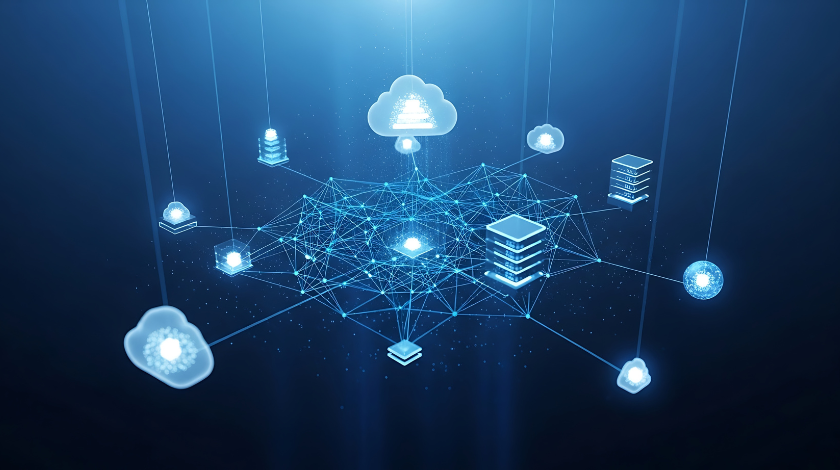
At its simplest level, the Internet Transaction Server is a middleware component. Its primary job is to act as a translator. Think of it like an interpreter at an international summit. On one side, you have the SAP backend, which speaks a language called DIAG (the protocol used by SAP GUI). On the other side, you have the world of the internet, which speaks HTML and HTTP. These two don’t naturally understand each other. Without a middleman, your web browser has no idea what to do with a request for a transaction like ME21N (Purchase Order creation).
The ITS steps into the middle of this conversation. It takes the data coming out of the SAP system, wraps it in HTML, and serves it to your browser. When you click a button on that web page, the ITS captures that click, translates it back into a command that the SAP backend understands, and updates the database. This allowed companies to “web-enable” their existing processes without having to rewrite thousands of lines of ABAP code. It was a game-changer for accessibility and scalability.
The Evolution: From Standalone to Integrated
When ITS first hit the scene, it was what we call “Standalone ITS.” This meant you actually had to have a separate server—usually a Windows-based machine—sitting between your internet gateway and your SAP system. This setup consisted of two main parts: the Wgate and the Agate. The Wgate lived on the web server and caught the initial incoming requests. It then passed them to the Agate, which was the “brain” that communicated with the SAP instance. While effective, it was a bit of a headache for IT teams. You had two different environments to patch, two sets of hardware to maintain, and a lot of potential points of failure.
Fast forward a few years, and SAP realized they could make this much more efficient. They moved the functionality of the ITS directly into the SAP kernel. This is known as “Integrated ITS.” This was a massive leap forward. Now, you didn’t need that extra Windows server. The SAP Web Application Server (now part of NetWeaver) could handle the web requests directly. This made the whole system faster, more secure, and significantly easier to manage. If you are starting a project today or working on a modern SAP system, you are almost certainly using the Integrated ITS.
The Magic of SAP GUI for HTML (WebGUI)
One of the most common ways people interact with ITS is through something called “WebGUI.” Imagine you are traveling and you don’t have your work laptop with you. You need to approve a critical requisition. You find a computer with internet access, open Chrome or Firefox, and type in a URL. Suddenly, the familiar SAP screens appear right there in the browser. That is the WebGUI in action.
The beauty of the WebGUI is that it requires “zero footprint.” You don’t have to install any software on the client’s machine. For large corporations with tens of thousands of employees, this is a lifesaver. Deploying software updates to 20,000 laptops is a nightmare. Updating a single server-side ITS service is easy. However, I always tell my clients to manage their expectations. While WebGUI is incredibly convenient, it isn’t always as “snappy” as the desktop version of SAP GUI. Since everything is being translated into HTML on the fly, there is a tiny bit of latency. But for most standard tasks, it is a perfectly viable solution.
ITS Mobile: Why the Warehouse Loves It
If you go into a modern distribution center, you will see workers with rugged handheld devices or “rf guns” scanning barcodes on pallets. Most of the time, those devices are running ITS Mobile. This is perhaps the most enduring use case for the Internet Transaction Server. In a warehouse environment, you don’t need high-resolution graphics or fancy animations. You need speed, reliability, and big buttons that are easy to tap with a gloved finger.
ITS Mobile works by taking SAP screens and generating very basic, lightweight HTML templates. These templates are designed to load almost instantly on low-power mobile devices. I’ve spent many nights in cold storage warehouses testing these screens, and the reliability of ITS in those environments is unmatched. Even if the Wi-Fi signal is spotty, the stateful nature of the ITS connection helps ensure that data isn’t lost mid-transaction. It is a workhorse technology that keeps the global supply chain moving.
Configuration: The Role of SICF and SE80
From a technical standpoint, setting up an ITS service isn’t rocket science, but it does require attention to detail. Everything revolves around two main transactions in SAP: SICF and SE80. SICF is the “Internet Communication Framework” tree. This is where you actually turn on the web services. You have to find the path for your service, ensure the login credentials are configured correctly, and activate it. If you forget to activate the service in SICF, you’ll just get a “403 Forbidden” error, which is the bane of many junior developers’ existence.
SE80, the Object Navigator, is where the “publishing” happens. When you create a web-enabled transaction, you have to publish the “templates” and “mime objects” (like images and CSS files) to the site. This tells the system exactly how the screen should look when it gets converted to HTML. One of my biggest tips for anyone working with ITS is to always clear your browser cache and the server-side cache after making changes. I can’t tell you how many hours I’ve seen people waste wondering why their code changes aren’t showing up, only to realize they were looking at an old version of the page.
Security and Performance
Whenever you open a door from your internal database to the internet, security has to be your number one priority. With ITS, you aren’t just letting people see data; you are letting them trigger transactions. You must use HTTPS (SSL/TLS) to encrypt the data moving back and forth. Without encryption, a malicious actor on the same network could potentially “sniff” the packets and steal login credentials.
Performance is another big factor. Because ITS is stateful—meaning the server has to remember what the user is doing from one click to the next—it consumes memory on the SAP application server. If you have 500 warehouse workers all hitting the system at once via ITS Mobile, you need to make sure your server is sized correctly. I always recommend monitoring transaction ST03N to see how much load your web services are putting on the system. If you see the “roll-in” and “wait times” creeping up, it might be time to add more memory or optimize your HTML templates to be even lighter.
ITS vs. SAP Fiori: The Great Debate
In recent years, SAP has been pushing Fiori as the future of their user interface. Fiori is beautiful, it’s responsive, and it’s built on modern web standards like HTML5 and OData. So, does that mean ITS is obsolete? In my opinion, absolutely not. They serve different purposes.
Fiori is like a sleek, modern sports car. It’s perfect for “managerial” tasks—approving an invoice, checking a dashboard, or looking up a customer. It’s designed to be intuitive. ITS, on the other hand, is like a heavy-duty tractor. It’s built for “transactional” tasks where you are entering data for eight hours a day. If you have a clerk who needs to enter hundreds of line items into a sales order, the high-density screens of the WebGUI are often more efficient than the spacious, tile-based design of Fiori. Many companies find that a “hybrid” approach works best: use Fiori for the casual users and ITS for the power users and warehouse staff.
Final Thoughts and Personal Take
The Internet Transaction Server is a testament to the longevity of well-built software. It emerged in an era where the web was just beginning to touch the corporate world, and it has evolved to remain relevant decades later. While it might not be the “newest” thing in the SAP catalog, its stability and the way it bridges the gap between old-school ERP and modern accessibility are impressive.
In my years of consulting, I’ve seen flashy new portals come and go, but the ITS services often stay. Why? Because they work. They are predictable, they are deeply integrated into the SAP kernel, and they solve the fundamental problem of remote access without requiring a total overhaul of the backend. Whether you are a developer trying to fix an ITS Mobile screen or a business lead wondering if you should migrate to the web, remember that ITS is a proven, reliable choice.
Conclusion
The SAP Internet Transaction Server (ITS) remains a vital component for businesses that need to extend their SAP functionality to the web or mobile devices. By acting as a sophisticated translator between the SAP backend and the browser, it enables everything from global remote access via WebGUI to high-speed logistics through ITS Mobile. While SAP Fiori represents the future of the user experience, the robustness and efficiency of ITS, especially in the Integrated model, ensure that it will remain a staple of the SAP landscape for years to come.
FAQ (Frequently Asked Questions)
1. Is the Internet Transaction Server free to use?
Yes, if you already have an SAP license, the Integrated ITS is part of the SAP NetWeaver Application Server. There are no additional licensing fees to activate it, though you do need to ensure your hardware is sized to handle the additional web traffic.
2. What is the difference between Standalone and Integrated ITS?
Standalone ITS required a separate Windows server (Agate and Wgate) to handle web requests. Integrated ITS is built directly into the SAP kernel, making it faster, more secure, and easier to manage because it doesn’t require extra hardware.
3. Can I run any SAP transaction in a web browser using ITS?
Technically, yes. By using the SAP GUI for HTML (WebGUI), almost any standard or custom ABAP transaction can be rendered in a browser. However, some complex UI elements or local file-system interactions (like uploading from a C: drive) may behave differently or require additional configuration.
4. Is ITS Mobile the same as SAP Fiori?
No. ITS Mobile uses Business HTML templates to render classic SAP screens on mobile devices, primarily for warehouse scanning. SAP Fiori is a modern design language based on SAPUI5 (HTML5) and usually communicates with the backend via OData services.
5. How do I improve the performance of my ITS services?
Focus on reducing the size of your HTML templates, minimizing the use of large images, and ensuring your SAP application server has enough memory (RAM) to handle stateful web sessions. Also, make sure your network latency between the mobile device and the server is as low as possible.