Have you ever stopped to wonder what actually happens in the split second between you clicking a link and the page appearing on your screen? It feels like magic, but it is actually a very disciplined, very fast conversation. This conversation happens through something called Hypertext Transfer. Most of us know it by its more common name, HTTP. If you look at the address bar of your browser right now, you will see those letters sitting right at the start of the URL.
I remember back in the early 2000s when I first started playing around with building basic websites. Back then, we didn’t think much about protocols. We just uploaded files and hoped for the best. But as the internet grew from a collection of simple text pages into the massive, high-speed universe it is today, the way we “transfer” that data became the most important part of the whole system. If the transfer protocol fails, the internet essentially stops working.
What Exactly is Hypertext Transfer?
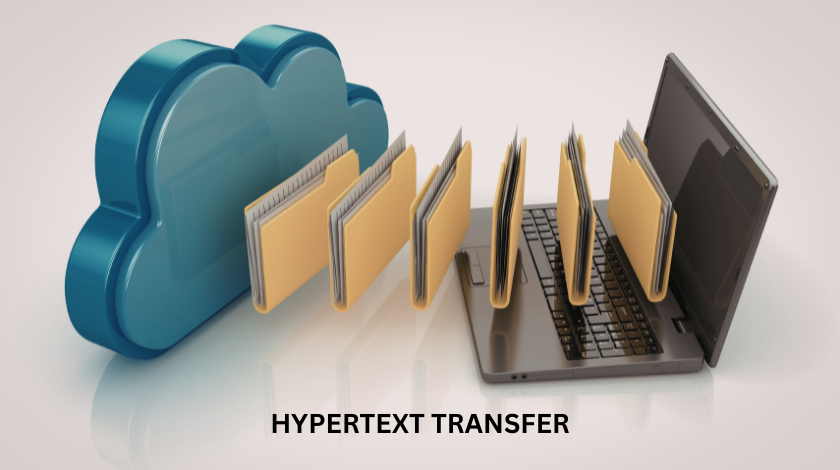
To understand this, we have to break down the words. “Hypertext” refers to the text that contains links to other text. Basically, it is the language of the web. “Transfer” is exactly what it sounds like, moving something from one place to another. So, Hypertext Transfer Protocol (HTTP) is the set of rules that governs how web pages are sent from a computer that stores them (a server) to the computer that wants to see them (your phone or laptop).
Think of it like a language. If I speak English and you speak English, we can exchange ideas. HTTP is the “English” of the web. It ensures that when your browser asks for a picture of a cat, the server knows exactly what is being asked and how to send that picture back so your browser can display it correctly. Without these rules, the data would just be a jumble of digital noise that your computer wouldn’t know how to handle.
The Client and the Server: A Restaurant Analogy
The best way I have ever found to explain this to beginners is to imagine a restaurant. In this scenario, you are the “Client” (the web browser). The kitchen is the “Server” where all the food (the data) is kept. The “Hypertext Transfer” is the waiter.
When you sit down and look at a menu, you are looking at potential links. When you tell the waiter, “I would like the pasta,” you are sending an HTTP Request. The waiter takes that request to the kitchen. The kitchen looks at the request, finds the ingredients, cooks the meal, and gives it to the waiter. The waiter then brings the plate back to your table. This is the HTTP Response.
If the kitchen is out of pasta, the waiter comes back and says, “Sorry, we don’t have that.” In web terms, that is a 404 Error. It is a very simple system of requests and responses that happens millions of times every second across the globe.
Why the “S” in HTTPS is a Game Changer
You might notice that most websites now use HTTPS instead of just HTTP. That little “S” stands for Secure. In the old days, sending data over standard HTTP was like sending a postcard through the mail. Anyone who handled that postcard along the way could read what you wrote. If you were sending your credit card number or a password, that was a huge problem.
HTTPS adds a layer of protection called SSL or TLS. I like to think of this as putting that postcard inside a titanium box that only you and the recipient have the key to open. Even if someone intercepts the box, they can’t see what is inside.
From my perspective, if you are running a website today and you are still using the old HTTP, you are basically telling your visitors that you don’t care about their privacy. Not only is it bad for security, but Google actually penalizes websites that don’t use the secure version. It has become a fundamental “trust signal.” When you see that little padlock icon in your browser, it means the hypertext transfer is being done in a safe, encrypted way.
Decoding the Secret Language of Status Codes
One of the most fascinating (and sometimes frustrating) parts of hypertext transfer is the status codes. These are three-digit numbers that the server sends back to the browser to tell it how things went. Most of the time, you don’t see them because things go right.
The most common code is “200 OK.” This means the waiter brought your food and everything is perfect. You don’t see the number; you just see the webpage.
Then there are the “300” codes, which are for redirections. This is like going to your favorite restaurant and finding a sign on the door saying they have moved to a new location down the street. Your browser automatically follows that sign to the new address.
The “400” codes are the ones we all hate. These are client-side errors. The most famous is the 404 Not Found. This usually happens when you click a link that is broken or type in a URL incorrectly. It is the server saying, “I understand what you want, but I can’t find it anywhere.”
Finally, there are the “500” codes. These are server errors. This is when the kitchen has a fire or the chef quits. The request was fine, but the server just couldn’t handle it. When I see a 500 error, I know it is time to contact the web host or check the server logs because something has gone seriously wrong behind the scenes.
The Methods: GET, POST, and Beyond
In the world of hypertext transfer, there are different ways to send a request. These are called “methods.” The two most common ones are GET and POST.
A GET request is used when you want to retrieve data. For example, when you type a search term into Google, you are “getting” the search results. All the information for the request is usually visible in the URL bar.
A POST request is used when you are sending data to the server to be processed. Think about when you fill out a “Contact Us” form or upload a photo to social media. You wouldn’t want that data sitting in the URL bar where everyone can see it. POST sends the data in a more hidden, structured way.
There are others like PUT (for updating things) and DELETE (for removing things), but for most people, GET and POST are the bread and butter of how we interact with the web. Understanding these helped me realize why some URLs look so messy with long strings of characters and why others stay clean.
The Evolution: Making the Web Faster
Hypertext transfer has changed a lot since the early 1990s. The first version, HTTP/0.9, was incredibly basic. Then came HTTP/1.1, which served us well for a long time. However, as websites got bigger with more images, scripts, and videos, HTTP/1.1 started to feel very slow. It could only handle one request at a time per connection. It was like a waiter who could only bring one plate at a time and had to walk back to the kitchen for every single item.
Then came HTTP/2. This was a massive upgrade. It introduced “multiplexing,” which allowed the server to send multiple files over a single connection simultaneously. Suddenly, the waiter had a giant tray and could bring the drinks, the appetizers, and the main course all in one trip.
Now, we are seeing the rise of HTTP/3. This version is even crazier because it changes the underlying way the data is moved across the wires (using something called QUIC). It is designed to be faster on mobile networks and more resilient to losing connection. In my opinion, this is the most exciting development in web technology right now because it makes the internet feel snappy even if you have a weak signal.
Why You Should Care About This (Even if You Aren’t a Techie)
You might be thinking, “This sounds very technical. Why does it matter to me?” If you own a business or a blog, the way your site handles hypertext transfer affects your bottom line.
First, there is the speed factor. If your site uses an old version of HTTP or has a slow response time, people will leave. We are impatient creatures. If a page takes more than three seconds to load, most people are gone. Optimizing how your data transfers is the easiest way to keep those visitors.
Second, there is SEO (Search Engine Optimization). Google loves speed and security. By having a fast server that supports HTTP/3 and a secure HTTPS connection, you are checking two of the most important boxes for ranking higher in search results.
Finally, there is the user experience. When you understand how status codes and methods work, you can build better websites. You can create custom 404 pages that help people find their way back, or you can ensure your forms are using POST so your users’ data stays private.
Personal Experiences with Transfer Errors
I remember a project I worked on a few years ago where the client was complaining that their site was “broken.” I spent hours looking at the code, thinking it was a bug in the software. It turned out to be a simple issue with the hypertext transfer protocol settings on the server. The server was trying to send data in a way the browser didn’t understand.
Once I fixed the headers (the little bits of information that tell the browser what kind of data is coming), everything worked perfectly. That experience taught me that no matter how good your content is, if the protocol layer is messed up, no one will ever see it. It is like having a world-class speech written but trying to deliver it through a megaphone that is turned off.
Looking Toward the Future
The world of hypertext transfer is not standing still. As we move toward more decentralized systems and the “Internet of Things” (where your fridge and your car are online), these protocols will have to become even more efficient. We are looking at a future where data transfer is almost instantaneous and completely invisible.
We might even see the traditional client-server model change. With peer-to-peer technologies, hypertext might not just come from one central server, but from a network of devices all sharing the load. Whatever happens, the core principle will remain the same: we need a standard, reliable way to move information from point A to point B.
Conclusion
Hypertext Transfer is the unsung hero of the digital age. It is the bridge between your curiosity and the world’s knowledge. By understanding how HTTP works, how HTTPS keeps us safe, and how the protocol is evolving to be faster, we gain a much deeper appreciation for the complex dance that happens every time we open a browser tab.
Whether you are a casual surfer or a professional developer, knowing the “why” behind the “how” of the web empowers you. It helps you troubleshoot problems, stay secure, and build a better online presence. Next time you see a URL load, take a second to appreciate the invisible handshake that made it all possible.
Frequently Asked Questions (FAQ)
1. What is the difference between HTTP and HTTPS?
HTTP is the standard protocol for transferring data, but it is not encrypted. HTTPS is the secure version that uses SSL/TLS to encrypt the data, making it safe from hackers who might try to steal information like passwords or credit card numbers.
2. Why do I keep seeing a 404 error?
A 404 error means the server found your request but could not find the specific page or file you asked for. This usually happens if a link is broken, a page has been deleted, or you typed the web address incorrectly.
3. Does HTTP version matter for my website?
Yes, absolutely. Newer versions like HTTP/2 and HTTP/3 allow your website to load much faster by sending multiple files at once. Faster websites provide a better experience for users and tend to rank higher in search engines.
4. What is an SSL certificate?
An SSL certificate is a digital file that stays on your server and enables the “HTTPS” protocol. It proves that your website is authentic and creates an encrypted connection between the server and the visitor’s browser.
5. How does Hypertext Transfer affect SEO?
Search engines like Google prioritize websites that are fast and secure. Using HTTPS is a confirmed ranking factor. Additionally, the speed improvements from using modern HTTP protocols help reduce bounce rates, which indirectly boosts your SEO.